

School, Classroom, and Teacher members can set up separate Group IDs and passwords that students can use to sign in to Starfall (on campus and at home) with Starfall Group Access.
To set up Group Access:
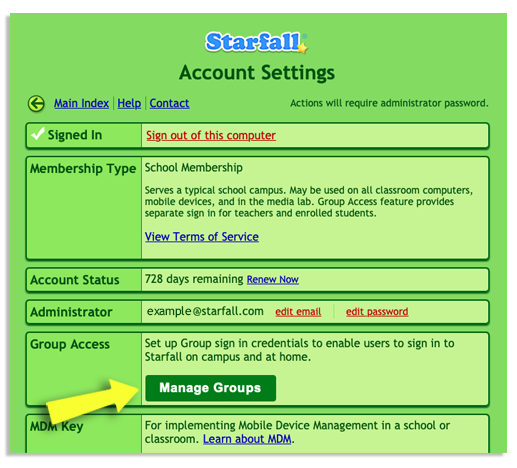
Sign in to Starfall.com and go to the Account Settings page. Under your Administrator address info, you'll see a section labeled Group Access.
In the Group Access section, click the Manage Groups button.
Follow the prompts to register your account for Group Access.
Follow the instructions to create a Group ID and password on the Group Access Form.
Share the Group ID and password with students and their parents/guardians.
Instructions for parents:
Go to www.starfall.com or open the Starfall App.
Click the Sign In link.
Enter your Group ID and password into the Email and Password fields.
Click Sign In.